An identifier buried in Windows followed an alleged hacker across three countries. Here’s what it is — and how to read the one your own PC is broadcasting right now.
A VPN is not an invisibility cloak. People hear that, nod, and go on believing the opposite, so there’s a certain dark comedy to how this case played out. A Scattered Spider suspect did everything the forums tell you to do — VPNs, proxies, IP addresses scattered across four countries — and Microsoft still handed the FBI one number that tied all of it back to a single laptop. Not an IP. Not a MAC address. A number most Windows users have never heard of, can’t switch off, and that Microsoft has mentioned in public exactly once.
It’s called the Global Device Identifier, GDID for short. I’ve now read a stack of coverage on it, and I think most of it gets one important detail wrong — we’ll get there. First the story, because it’s a good one.
What happened
In April 2026 a 19-year-old got pulled aside at Helsinki airport on an Interpol Red Notice, two 2TB drives in his bag and a ticket to Japan he wasn’t going to use. By July, prosecutors had named him as Peter Stokes, an alleged member of Scattered Spider, over a May 2025 break-in at a US jewelry retailer that ended in an $8 million ransom demand. The company refused and ate roughly $2 million in cleanup instead.
The part that matters for us is how they placed him behind the VPNs. Investigators subpoenaed the tunneling service the attackers had used and got an account-creation timestamp down to the minute — from a proxy IP that led nowhere. Then Microsoft’s records showed that at that exact minute, a Windows machine carrying GDID g:6755467234350028 had loaded that same signup page, and three hours later hit the victim’s website through the same proxy. After that it was just patience: the same GDID kept turning up at the same moments as accounts already tied to Stokes — a Snapchat login in Estonia, an Apple account in New York, a Bangkok hotel he’d posted about on Snapchat the day before — over about eight months. Any one of those is nothing on its own. All of them landing on the same installation is a case.
The IP addresses were noise. The installation was the thing that never moved.
So what is it
Microsoft’s own description, lifted from the court filing, is that it’s a persistent device-level identifier meant to uniquely tag one Windows installation across their services. In practice that means a few things. It’s handed out when Windows provisions against a Microsoft Account. It rides through updates untouched. It changes if you do a clean reinstall — but sign back into the same account and Microsoft can obviously stitch the new one to your history through OneDrive, activation, the account itself, so a reinstall buys you almost nothing. And nothing prompts you when it’s assigned, nor is there a switch to turn it off.
For contrast, Apple’s advertising identifier makes you approve tracking and gives you a reset button; Android’s works the same way. GDID has neither. The only place Microsoft has ever written about it publicly is a single line in an Azure Monitor reference table meant for enterprise admins, where GlobalDeviceId is described as “an identifier used by Microsoft internally.” That one sentence was the entire public record until a federal filing pried the rest loose.
Where it lives, and the bit the news got wrong
This is where independent researchers had to reverse-engineer what Microsoft won’t explain, so here’s the chain in short. When your device provisions against a Microsoft Account, a service called wlidsvc asks login.live.com for a Device PUID (Passport Unique ID) and the server hands one back. Your PC doesn’t derive it from your hardware — it receives a string and stores it, in plaintext, in your own user hive at:
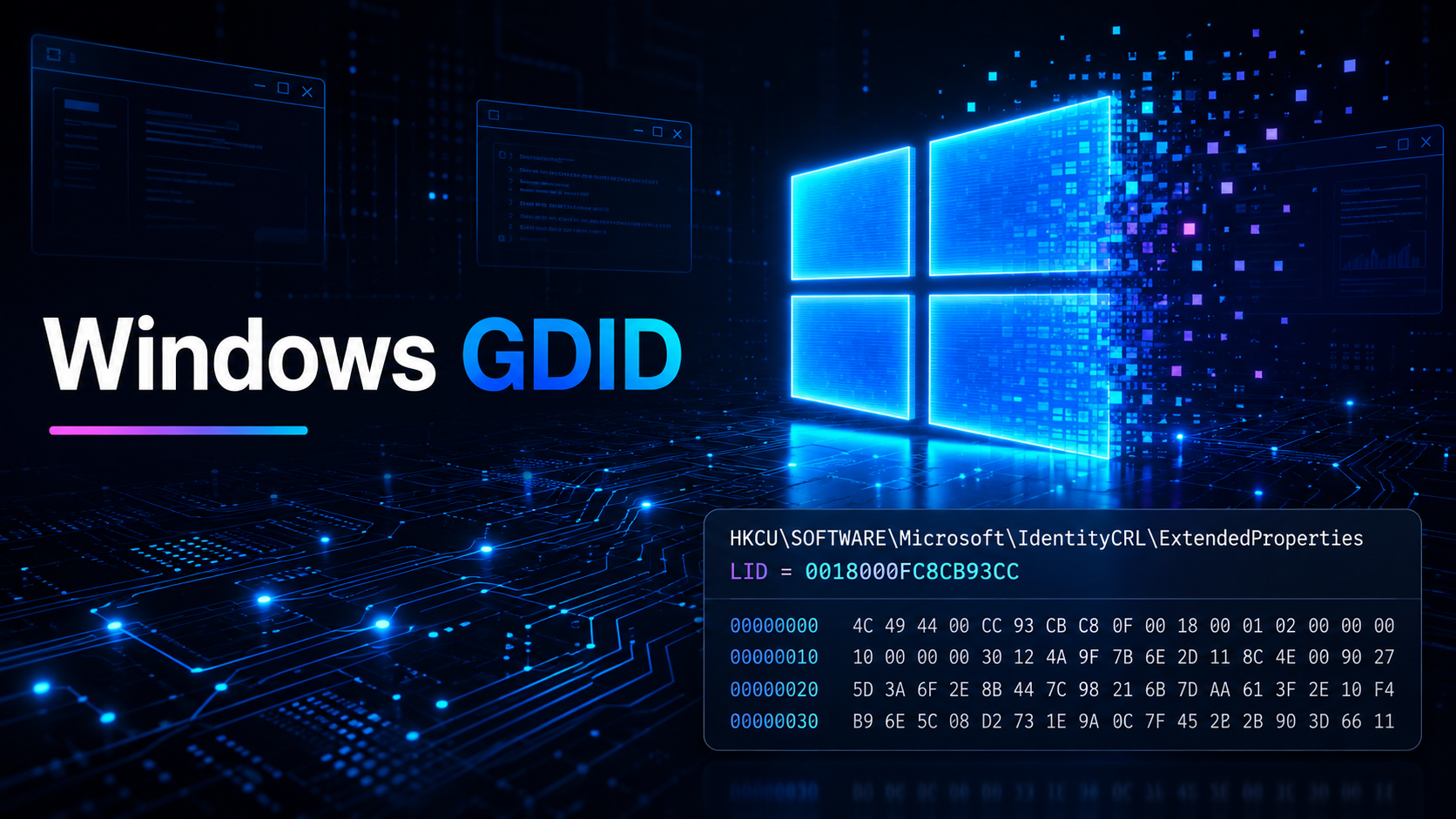
HKCU\SOFTWARE\Microsoft\IdentityCRL\ExtendedProperties, value LID
The Connected Devices Platform (CDPSvc — the same service behind Phone Link and cloud clipboard) reads that value and registers it with Microsoft’s Device Directory Service. When it gets reported back to services like Delivery Optimization, it shows up as g:<number>.
Now the detail a lot of the reporting fumbled, including some outlets that should know better: that g: number is not a server-only secret you’d need to subpoena. The LID in your registry is a 16-character hex string, something like 0018000FC8CB93CC. The GDID is just that same value in decimal with a g: in front. You don’t need Microsoft to tell you yours. You can read it off your own machine and convert it in one line.
Reading yours
You’ll only have a LID if you’re signed into a Microsoft Account. Local accounts don’t get one — which is itself the loudest hint about how to sidestep the whole thing.
Quickest route, in PowerShell:
Get-ItemProperty "HKCU:\SOFTWARE\Microsoft\IdentityCRL\ExtendedProperties" | Select-Object LIDThat gives you the raw hex. To turn it into the g:... string Microsoft’s services actually see:
$lid = (Get-ItemProperty "HKCU:\SOFTWARE\Microsoft\IdentityCRL\ExtendedProperties").LID
$dec = [System.Convert]::ToUInt64($lid, 16)
"LID (hex): $lid"
"GDID     : g:$dec"
Prefer to just eyeball it? reg query works:
reg query "HKCU\SOFTWARE\Microsoft\IdentityCRL\ExtendedProperties" /v LIDOr open regedit, paste HKEY_CURRENT_USER\SOFTWARE\Microsoft\IdentityCRL\ExtendedProperties into the address bar, and look at LID.
One warning worth taking seriously: reading is harmless, editing is not. Change or delete values in here and you’ll cheerfully break account sign-in and app activation — and it won’t even work as a privacy trick, because the next time wlidsvc talks to Microsoft the server spots the mismatch and writes the real value straight back. People have tried this. It heals itself within minutes.
(If you’re posting screenshots, blur the value.)
How it’s used to track, and who really can
Two things make this identifier good at tracking. One thing makes most of the online panic about it overblown.
It beats a VPN because a VPN only changes the network your packets leave from. It does nothing to the installation producing them. The GDID is welded to the Windows install, so every time the machine phones a Microsoft service — update checks, the Store, activity sync — the same number tags along under whatever proxy you’ve configured. That’s the entire trick behind pinning one laptop to four countries.
Here’s where I’d push back on the panic, though. Being able to read your GDID is not the same as being able to track you with it. All the tracking power sits in the graph Microsoft maintains linking that number to your service activity, timestamps and IPs. Microsoft can query that graph. Law enforcement can reach it with a subpoena, which is precisely what happened here — the FBI didn’t “look up” a GDID, they served Microsoft and got records back. What nobody outside that arrangement can do is turn a stranger’s GDID into a name or a location. No public API, no lookup site, no clever script. Anyone online claiming they can GDID-track people is either confused or selling something.
The exposure that does reach ordinary users is quieter. Because the LID reads out of HKCU without admin rights, any app you run can grab it and treat it as a fingerprint that outlives cookie clears, browser swaps, even OS updates. That’s the realistic risk — not a stalker with a magic tracker, but ordinary software tagging your machine with an ID you can’t rotate.
If you want to watch the persistence yourself, it takes about five minutes and no one else’s computer. Read your g:... value. Connect to a VPN — a server on another continent, if you feel dramatic — and read it again; it won’t have moved. Install an update, reboot, check once more; still identical. Got a second PC on the same account? Read that one — different number, which is the proof that it’s bound to the installation, not to you and not to your account.
And to say the obvious out loud: that’s your own device. There’s no consumer way to resolve someone else’s, and going hunting for one is just building surveillance. The lesson here runs the opposite direction anyway — it’s about how little say you have over your own machine’s identity.
What helps
Reinstalling is the reflex, and for the reason above it’s mostly wasted motion. The things that move the needle:
Use a local account if you can stand it — no account, no PUID handed out in the first place. Microsoft has spent years making this harder, though they’ve lately started to ease off. Failing that, turn down what the machine reports: optional diagnostic data off under Settings › Privacy & security › Diagnostics & feedback, the advertising ID and personalized ads off under Privacy & security › Recommendations & offers, cloud search off under Privacy & security › Search.
And if you’re in a situation where the stakes are real — a journalist shielding a source, someone getting clear of an abuser — don’t try to harden Windows into something it isn’t. Use a different OS. The GDID doesn’t care which VPN you route through. It only cares that the same Windows install is still underneath.
Where I land
I’m not going to pretend I’m sorry Stokes got caught. The complaint runs to some thirty-odd pages of a teenager extorting a jeweler while posting diamond-chain photos, and it doesn’t leave much room for sympathy. The system did the thing you’d want it to do.
But “it caught a criminal” and “this is fine” are not the same sentence, and I keep watching people collapse them into one. Every serious OS ships some persistent device identity; that part is defensible — licensing and fraud systems genuinely need it. What bothers me about GDID specifically is the two things its competitors have and it doesn’t: visibility and control. It answers to your Microsoft Account, not to you, and the only reason a billion-plus people now know it’s there is that a court forced the words out of the company.
So go read yours. Whatever number comes back, you didn’t choose it and you can’t switch it off — and I think that’s worth sitting with for a minute.
Frequently asked questions
What is a Windows GDID? The Global Device Identifier is a persistent ID Microsoft assigns to a Windows installation when it’s provisioned against a Microsoft Account. It survives updates, gets reported to various Microsoft services, and — unlike Apple’s or Google’s advertising IDs — has no opt-out.
How do I find my GDID in Windows 11?
Read the LID value at HKCU\SOFTWARE\Microsoft\IdentityCRL\ExtendedProperties in PowerShell, then convert the hex to decimal and add a g: prefix. The one-line commands are in the “Reading yours” section above. You’ll only have a value if you’re signed into a Microsoft Account.
Can you disable or turn off the GDID? No — there’s no setting for it. A clean reinstall assigns a new GDID, but signing back into the same Microsoft Account lets Microsoft reconnect it to your history. Using a local account avoids the account-provisioned identifier in the first place.
Does a VPN hide your GDID? No. A VPN changes your IP address, not your Windows installation. The GDID travels with the install whenever it contacts a Microsoft service, which is exactly why it defeated the VPNs in the Scattered Spider case.
Does reinstalling Windows change your GDID? Yes, a clean reinstall generates a new one — but it’s easily re-linked to your old activity through your Microsoft Account, OneDrive and activation history, so it isn’t the clean break most people assume.
Does activating Windows with KMS or a crack change your GDID? No. The GDID comes from Microsoft Account and identity provisioning, not from how your copy is licensed. Activation-bypass tools change your license state, not the telemetry identity layer — the developers behind the best-known activation scripts have said outright that you can’t stop Windows getting a GDID without breaking activation and Store apps. Sign into a Microsoft Account and you get a GDID regardless of how the copy was activated.
Can someone track me with my GDID? Only Microsoft can resolve a GDID to activity and location, and law enforcement can obtain those records with legal process. There’s no public lookup, so a random person or website can’t turn your GDID into an identity. The realistic risk is ordinary apps reading the value locally and using it as a durable fingerprint.
Sources: the unsealed DOJ complaint; reporting from Windows Latest, The Hacker News, Neowin, PCMag, Cybernews and Tom’s Hardware; independent GDID reverse-engineering write-ups; and Microsoft’s own Azure Monitor Delivery Optimization documentation.